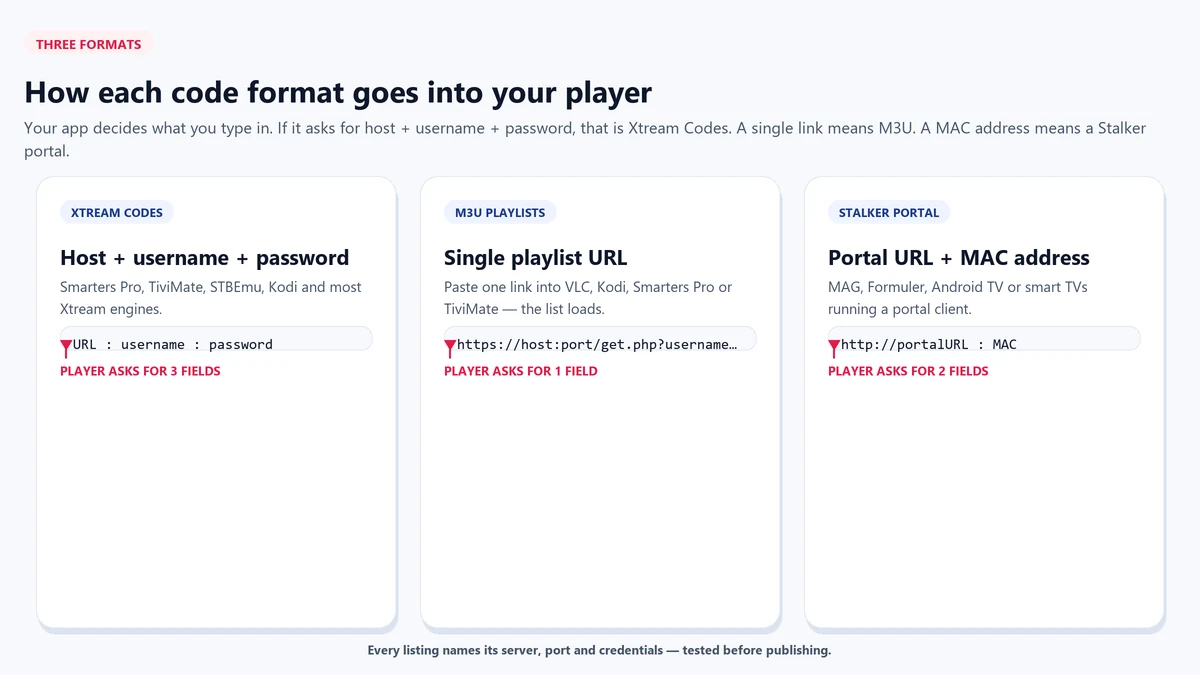
Every IPTV line we publish comes with the same core setup: a portal URL, a MAC address, and a player that speaks Stalker. This guide covers the complete setup process for every device type we support, the five errors people actually hit, the best players for each platform, and the VPN fix that solves most buffering issues. Use it alongside any of our premium code pages — the per-portal specifics (URL, MAC, channel counts, regions) live on those pages.
Will it work on your device?
Every portal we publish works on all of the following. The “App to use” column tells you which player to install on each platform:
| Device | App to use | Support |
|---|---|---|
| Android TV / Google TV | TiviMate, OTT Navigator | Yes — native support |
| Firestick / Fire TV | TiviMate, STB Emu | Yes — sideload required |
| MAG box (254/322/524) | Built-in portal menu | Yes — enter URL in Settings |
| Android phone / tablet | STB Emu, OTT Navigator | Yes |
| iPhone / iPad | IPTV Smarters Pro | Yes |
| Windows / macOS | IPTVnator, VLC | Yes |
| Samsung / LG Smart TV | Smart STB, Set IPTV | Yes — app sets the MAC |
How to set it up (3 minutes)
- Install a Stalker-capable player. TiviMate on Android TV / Firestick, STB Emu on phones, or the built-in portal menu on a MAG box.
- Open “Add Portal” (TiviMate: Settings → Playlists → Add playlist → Portal. STB Emu: Settings → Profiles → Portal settings).
- Paste the portal URL from your code page — keep the trailing
/c. Most failed logins are caused by dropping it. - Set the MAC address to the assigned MAC shown on your code page. Type it with colons, uppercase — a single wrong character returns “portal not found”.
- Let the EPG download before you start zapping — with large channel counts the first guide sync takes 1–3 minutes.
- Build a favourites list. With thousands of bouquets, favourites are the difference between a usable setup and endless scrolling.
Troubleshooting: the five errors people actually hit
| What you see | Real cause | Fix |
|---|---|---|
| “Portal not found” / blank screen | URL missing /c or a typo in the MAC | Re-check both fields character by character |
| Channel list loads, nothing plays | ISP is blocking or throttling the stream port | Enable a VPN — this fixes it in most cases |
| Constant buffering on HD/4K only | Bandwidth shaping during peak hours | VPN, or switch to the SD/HD version of the channel |
| “Link expired” message | The line reached its expiry date | Check the expiry counter on your code page |
| Works on phone, fails on TV box | Box DNS or date/time is wrong | Set DNS to 8.8.8.8 and enable automatic time |
Best players for Stalker portals
Native Stalker + Xtream + M3U support, the fastest EPG engine, and proper favourites management — essential with thousands of channels.
Emulates a MAG250 box, so portals that reject other clients still work. The safest choice when a portal refuses to load elsewhere.
Native Xtream Codes v2 login with automatic VOD and series sorting; the easiest client for user/pass lines.
Handles very large VOD libraries without lag and gives fine-grained codec and buffer control.
Open-source desktop client with proper Stalker/Ministra portal support and MAC normalisation.
🛡️ Buffering is almost always your ISP
IPTV traffic is easy to fingerprint, and most ISPs shape it during peak hours. A VPN encrypts the stream so it cannot be identified or throttled — it is the single most effective fix for stuttering playback on an otherwise working line.
Frequently asked questions
Why are the credentials hidden on code pages?
They are protected for premium members to prevent public harvesting and server overload. Members see them instantly with copy buttons; everyone else sees the locked card. Join premium to unlock every line on the site.
Why does the channel list load but nothing plays?
The server is fine — your ISP is blocking the media port. The channel list comes over standard HTTP so it passes, while the stream itself gets dropped. A VPN resolves this in the large majority of cases.
Can I use a line on two devices at the same time?
No. Each line is a single connection slot. Opening it on a second device usually kicks the first one off, and repeated conflicts can get the line suspended early. Premium multi-room plans add extra slots.
Is the content in HD or 4K?
Quality varies per server and per bouquet. The channels tagged FHD/4K in the lists on your code page are the ones to add to favourites.
What regions are covered?
Each code page lists the regions actually present on that specific server, ranked by channel count. That is a live scan, not a generic provider claim.
Last updated: 28 November 2026. This guide is shared across all code pages; per-portal specifics (URL, MAC, counts, regions, expiry) live on each individual code page.